


What is GET3D by NVIDIA?
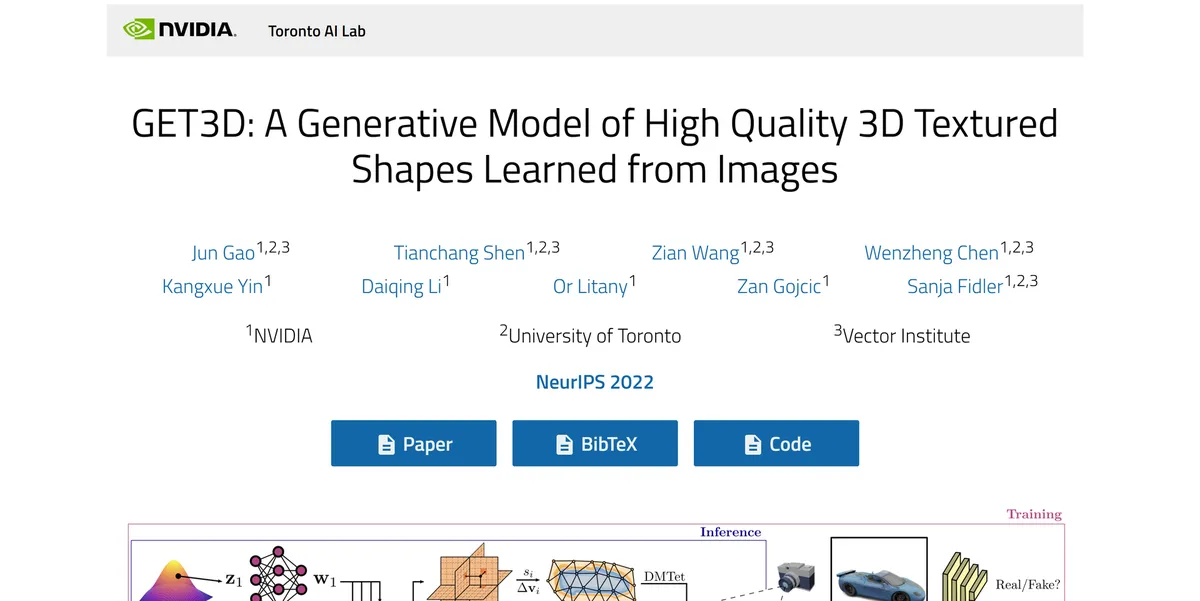
GET3D is a generative AI model that creates textured 3D meshes from 2D image collections. It outputs usable geometry rather than point clouds.
You get standard formats like OBJ and GLB ready for import.
NVIDIA Corporation built this tool to solve the slow manual process of 3D asset creation. It targets game developers and film studios needing large asset libraries. The software generates high-quality topology ready for rigging. Technical artists can train the model on specific datasets like ShapeNet. This allows teams to produce variations of cars, animals, or furniture.
- Primary Use Case: Generating large libraries of textured 3D assets from 2D image datasets.
- Ideal For: Technical artists and AI researchers at large game studios.
- Pricing: Starts at $0 (Open Source) / Custom Pricing (Enterprise) – Free for research, but commercial use requires an NVIDIA license.
Key Features and How GET3D by NVIDIA Works
Geometry and Texture Generation
- Mesh Generation: Produces 3D meshes with variable topology. Limit: Output quality depends on the 2D training data diversity.
- Texture Synthesis: Generates detailed textures. Limit: Textures cap at 1024×1024 pixels per model.
- Decoupled Architecture: Separates geometry and texture generation. Limit: Requires manual tuning to align complex surface details.
- Latent Space Interpolation: Allows for smooth transitions between different 3D shapes. Limit: Requires large datasets to map the latent space.
Performance and Hardware Integration
- Real-time Inference: Generates a textured mesh in under 100 milliseconds. Limit: Requires an RTX GPU for this speed.
- Multi-GPU Support: Optimized for training on A100 and H100 clusters. Limit: High hardware barrier requires at least 16GB to 24GB of VRAM.
- Differentiable Rendering: Uses NVIDIA Kaolin Wisp for optimization. Limit: Tied to the NVIDIA software ecosystem.
Export and Pipeline Compatibility
- Export Formats: Supports standard industry formats like OBJ and GLB. Limit: Does not export rigged skeletons.
- Omniverse Integration: Compatibility via the USD file format. Limit: Requires an active Omniverse setup for full utility.
- Training Flexibility: Trains on diverse 2D datasets or custom image sets. Limit: Requires thousands of images for accurate generation.
GET3D by NVIDIA Pros and Cons
Pros
- High-quality topology allows for immediate rigging without manual retopology.
- Inference speed under 100 milliseconds enables generating thousands of assets fast.
- Open-source code on GitHub allows deep customization for research teams.
- Texture mapping accuracy exceeds older point-cloud based generative models.
- Compatibility with NVIDIA Omniverse speeds up enterprise workflows.
Cons
- Hardware requirements demand at least 16GB of VRAM just to run.
- Setup involves strict version matching for PyTorch, CUDA, and NVIDIA drivers. (I spent three hours fixing CUDA version conflicts during my initial test).
- Texture resolution maxes out at 1024×1024, which falls short for close-up cinematic shots.
- Output quality drops when training data lacks multiple camera angles.
Who Should Use GET3D by NVIDIA?
- Enterprise Game Studios: Teams building open-world games can generate thousands of background props like cars and furniture in minutes.
- AI Researchers: Academic teams can use the open-source GitHub repository to study latent space interpolation.
- Film Production Studios: VFX teams can synthesize large libraries of background elements for crowd simulations.
- Solo Indie Developers: The steep hardware requirements and complex PyTorch setup make this impractical for developers without dedicated AI engineering support.
GET3D by NVIDIA Pricing and Plans
GET3D operates on a dual-track model. The core code is available on GitHub for free under a research license.
Open Source / Research: $0. Includes full access to the training code and inference scripts. You cannot use this tier for commercial projects. The open-source version requires you to provide your own compute hardware.
Enterprise Licensing: Custom Pricing. Studios wanting to use GET3D for commercial game development or film production must contact NVIDIA. Expect enterprise-level pricing tied to broader NVIDIA software contracts. The commercial license includes support for integration into proprietary game engines.
How GET3D by NVIDIA Compares to Alternatives
Similar to Magic3D, GET3D focuses on high-quality 3D generation. But Magic3D uses a two-stage process to turn text prompts into 3D models. GET3D trains on 2D image collections instead of text. This makes GET3D better for studios that already own massive concept art libraries.
Unlike Point-E, this tool generates actual textured meshes. Point-E creates point clouds. Point clouds require heavy manual processing to become usable game assets. So GET3D saves technical artists hours of retopology work. Point-E runs on lower-end hardware, making it more accessible for hobbyists.
The Best 3D Generator for Technical Artists
GET3D offers massive value to technical artists at large studios. You get usable topology and fast inference speeds. The ability to generate a mesh in under 100 milliseconds changes production timelines.
Solo creators should look elsewhere.
The hardware demands are too high. If you want text-to-3D without the heavy local hardware setup, try Shap-E instead. Shap-E runs in the cloud and requires zero local VRAM.
Within 12 months, NVIDIA will integrate this technology into standard modeling software like Maya and Blender.