



What is iZotope RX?
Audio editors expect basic noise gates to handle background hum. They actually get a surgical spectral editor that paints out individual dog barks and siren wails.
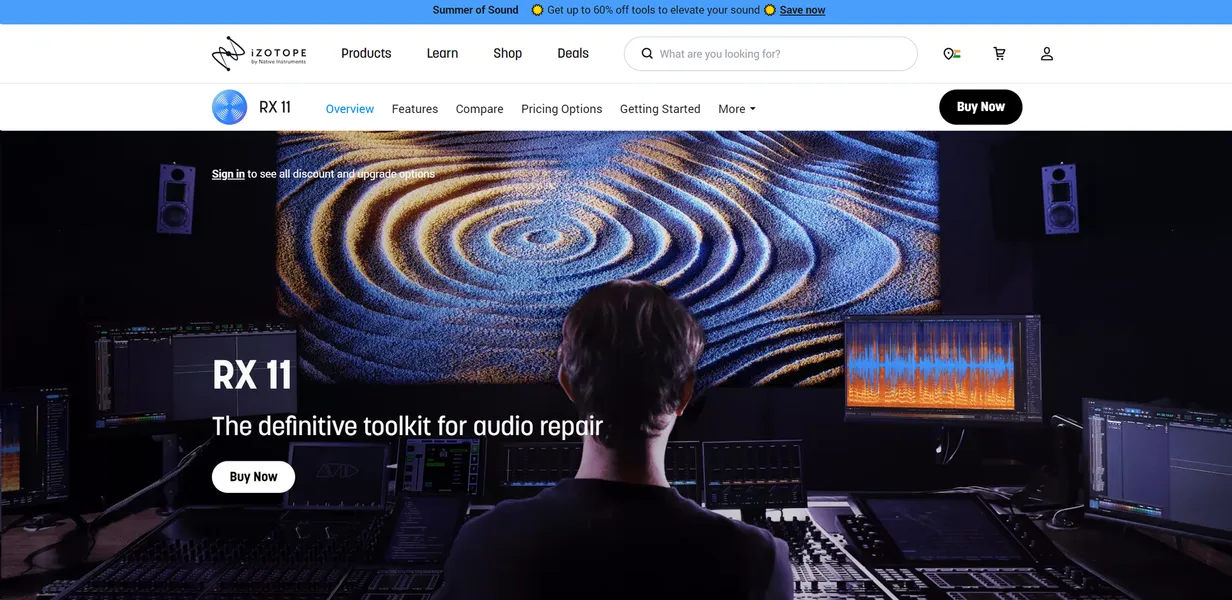
Developed by iZotope (now part of Native Instruments), RX is a professional audio restoration suite. It uses machine learning to identify and remove noise, clicks, and clipping from recordings. Sound engineers and post-production professionals use it to salvage unusable audio takes.
- Primary Use Case: Isolating dialogue from loud environmental noise in film post-production.
- Ideal For: Professional sound engineers and post-production editors.
- Pricing: Starts at $399 (perpetual license) for the Standard edition.
Key Features and How iZotope RX Works
AI-Assisted Diagnostics
- Repair Assistant: Automated AI diagnostic tool suggests a chain of modules based on audio analysis. It struggles with heavily distorted music tracks.
Dialogue and Vocal Isolation
- Dialogue Isolate: Real-time neural network processing separates speech from complex background noise. Processing heavy files requires significant CPU overhead.
- Music Rebalance: Source separation tool adjusts levels of vocals, bass, and percussion. Artifacts appear if you push vocal isolation past 80 percent.
Surgical Audio Repair
- Spectral Editor: Visual representation of audio allows for frequency-based editing. Learning to read the spectrogram takes weeks of practice.
- De-hum: Dynamic mode removes ground loop hum with up to 1024 notch filters. It occasionally cuts into fundamental vocal frequencies.
- Mouth De-click: Targets wet mouth noises without affecting speech clarity. It misses very subtle lip smacks on low sensitivity settings.
The software demands heavy computing power.
iZotope RX Pros and Cons
Pros
- Industry-standard performance used by major film studios for high-stakes audio restoration.
- Visual spectral editing allows users to paint out specific noises invisible in standard waveforms.
- Batch processing handles hundreds of files simultaneously with custom macro chains.
- Works as a standalone application and as VST3/AU/AAX plugins within major DAWs.
Cons
- High system requirements cause significant lag on machines with less than 16GB of RAM.
- The Advanced version costs $1,349, making it inaccessible for independent creators.
- Licensing through Native Access frequently causes installation errors for new users.
Who Should Use iZotope RX?
- Post-production professionals: Film editors use Dialogue Isolate to save poorly recorded location audio.
- Music producers: Producers use Music Rebalance to extract vocal stems from mixed tracks for remixes.
- Independent podcasters (Not Recommended): Solo creators on a budget should avoid the $1,349 Advanced tier. Cheaper alternatives handle basic podcast noise reduction better.
iZotope RX Pricing and Plans
RX 11 Elements pricing varies based on sales and includes basic entry-level audio repair tools. RX 11 Standard costs $399.00 and includes a suite of 33 intelligent tools for audio polishing. RX 11 Advanced costs $1,349.00 and includes the full suite for complex sonic rescues and professional repair. The iZotope Subscription price varies and grants access to over 100 audio tools and plugins.
Budget creators will find the price tag hard to justify.
How iZotope RX Compares to Alternatives
Similar to Adobe Audition but iZotope RX offers far superior neural network processing for dialogue isolation. Adobe Audition includes basic spectral editing. RX provides dedicated modules like Mouth De-click and Spectral Recovery. Audition requires a monthly Creative Cloud subscription. RX offers perpetual licenses starting at $399.
Unlike Acon Digital Restoration Suite, iZotope RX includes advanced music rebalancing tools. Acon Digital costs $99 and covers basic noise reduction well. RX justifies its higher price with machine learning models trained on massive audio datasets. Acon Digital runs smoother on older laptops with limited RAM (especially on older MacBooks).
The Final Verdict on iZotope RX for Audio Professionals
Professional sound engineers get the most value from iZotope RX. The $1,349 Advanced tier pays for itself by saving expensive film takes. Independent podcasters should look elsewhere. Acon Digital Restoration Suite provides enough noise reduction for basic vocal tracks at a fraction of the cost.