



What is Appsmith?
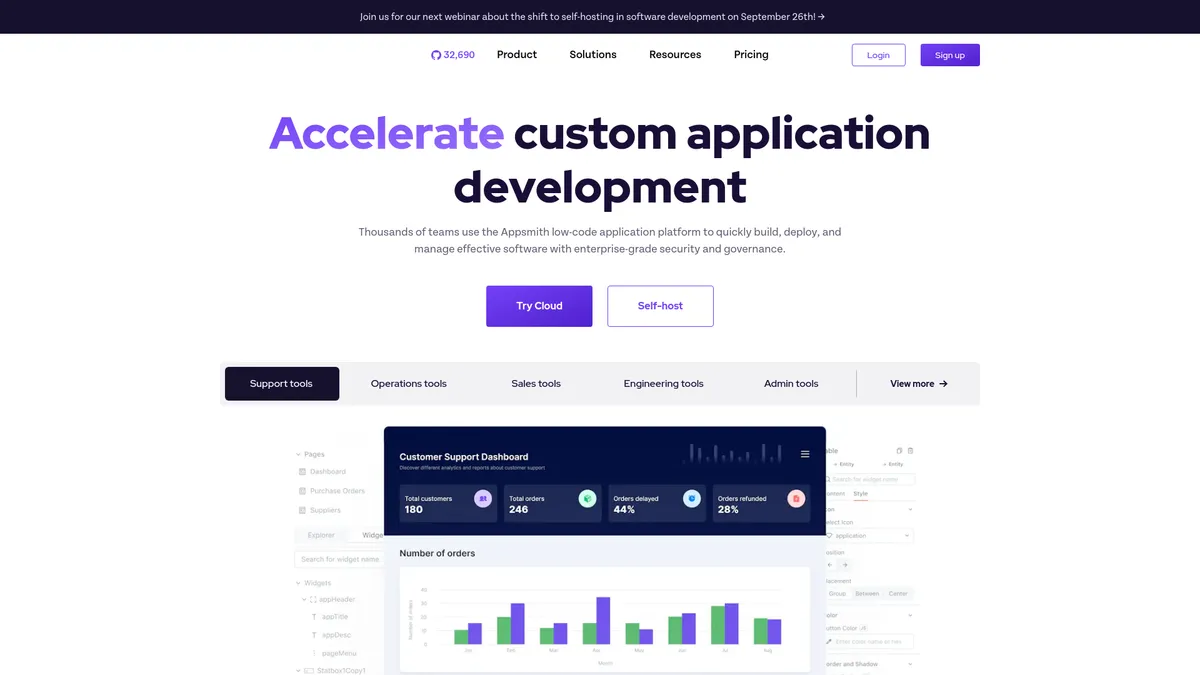
Your engineering team needs a custom dashboard to manage customer refunds across Stripe and a PostgreSQL database. Building this from scratch takes three weeks of developer time, pulling engineers away from core product work. Appsmith cuts this development cycle to three days. You drag and drop UI components onto a canvas, write a few lines of JavaScript to connect the data, and deploy the tool directly to your own infrastructure. This approach eliminates the repetitive boilerplate code usually required for internal applications.
Appsmith Inc. built this open-source platform to solve the high cost of internal tool development. It targets engineering teams who want custom admin panels without paying per-user software licenses. The platform connects to over 50 data sources and provides full source code access. Developers retain complete control over their data privacy and hosting environment. You can build complex workflows, automate data entry, and visualize metrics without relying on a proprietary third-party cloud.
- Primary Use Case: Building self-hosted internal admin dashboards connected to multiple databases and APIs.
- Ideal For: Engineering teams and developers comfortable with JavaScript and DevOps server management.
- Pricing: Starts at $40 (per user per month). Self-hosting is completely free for unlimited users.
Key Features and How Appsmith Works
Database and API Integrations
- Pre-built Connectors: Connects directly to PostgreSQL, MySQL, MongoDB, and Firebase. Limit: Custom database drivers require manual API wrappers.
- REST and GraphQL APIs: Pulls data from any external service or internal microservice. Limit: API response payloads must stay under 5MB to prevent browser crashes.
Visual UI Builder
- Drag-and-Drop Canvas: Places tables, charts, and forms on a grid system. Limit: Mobile responsiveness requires manual layout adjustments for smaller screens.
- Custom Widgets: Supports custom React components for unique interface requirements. Limit: Requires writing raw code and managing dependencies manually (writing custom React components here feels clunky compared to a local IDE).
Version Control and Deployment
- Git Integration: Syncs application code with GitHub or GitLab repositories. Limit: Branching and merging workflows require a paid Business plan.
- Docker Deployment: Runs on your own AWS, Google Cloud, or DigitalOcean servers. Limit: You must manage your own server security and uptime (we found the Docker setup takes about ten minutes on a standard Ubuntu droplet).
Appsmith Pros and Cons
Strengths
- Self-hosting is completely free with no user limits, saving significant budget for large teams.
- Full source code access ensures you never face vendor lock-in or forced cloud migrations.
- Git integration allows development teams to use standard CI/CD pipelines for testing and deployment.
- The open-source community provides frequent security updates and transparent bug tracking.
Limitations
- Self-hosting requires dedicated DevOps resources to maintain servers and apply updates.
- The platform offers fewer pre-built templates than commercial competitors like Retool.
- Non-technical users will struggle with the JavaScript requirements for basic data manipulation.
Who Should Use Appsmith?
- Cost-conscious engineering teams: The free self-hosted version supports unlimited users, saving thousands compared to per-seat pricing models.
- Security-focused enterprises: Full source code control means sensitive customer data never leaves your internal corporate network.
- Non-technical founders: This is not a good fit. You need JavaScript knowledge and server management skills to get the most out of this platform.
Appsmith Pricing and Plans
Appsmith uses a freemium model based on your hosting preferences and enterprise requirements. The Self-Hosted plan is genuinely free forever. It includes unlimited users, unlimited applications, and full source code access. The Cloud Free plan limits you to three users and relies entirely on community support forums. The Business plan costs $40 per user per month. It adds single sign-on (SSO) via SAML, priority customer support, and advanced Git workflows for larger development teams. Enterprise plans require custom pricing negotiations. These top-tier plans include dedicated support engineers and a guaranteed service level agreement (SLA).
How Appsmith Compares to Alternatives
Similar to Retool but completely open-source. Retool offers a larger library of pre-built UI components and a more polished visual editor for rapid prototyping. Appsmith counters this by offering a truly free self-hosted tier with unlimited users. Retool charges a monthly fee per user even on self-hosted deployments, which quickly becomes expensive for large organizations.
Unlike Budibase, Appsmith relies heavily on JavaScript for logic and data transformation. Budibase provides a built-in database and focuses on a no-code experience for simpler applications. Appsmith assumes you already have an external database and want to write code to manipulate that data. Budibase is better for simple forms, while Appsmith handles complex engineering tasks.
The Verdict for Engineering Teams
Appsmith delivers massive value for developers who want complete control over their internal tools without paying per-seat licenses. It is the best choice for teams with existing DevOps infrastructure and strong JavaScript expertise. Non-technical users looking for a drag-and-drop database builder should look at Budibase instead.